
Introduction
By 2026, there will be no alternative but to rely on AI tools when creating content or marketing online as a freelance designer or running a business. Among the rapidly growing tools is Canva AI.
Formerly referred to as the easy drag-and-drop design tool, Canva now stands out as an entire AI-based content creation suite.
However, the big question that remains is:
Is Canva AI really worth the hype, or just like any other AI tool?
This comprehensive review provides answers to that question based on real experiences.
What is Canva AI?
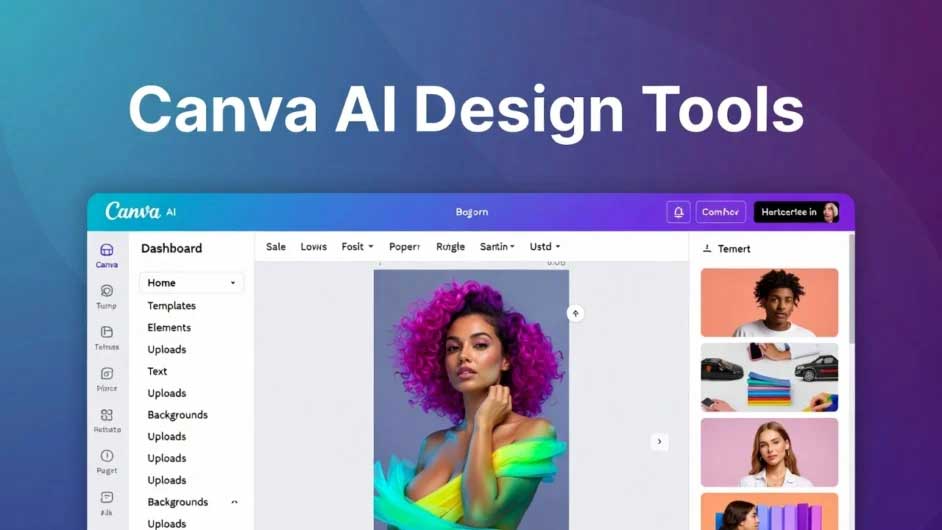
Canva AI refers to the suite of artificial intelligence features inside Canva, often called “Magic Studio.”
It allows users to:
- Generate designs automatically
- Edit images using AI
- Create written content
- Build presentations instantly
Whereas most tools tend to concentrate on offering services of just one type, Canva AI merges the three different capabilities into one platform.
Key Features of Canva AI
1. Magic Design
Creates design layouts automatically depending on the information you give.
Example: Product image uploaded → Canva designs Instagram images, posters, and advertisements automatically.
2. Magic Write
AI writing tool for:
- Captions
- Blog outlines
- Short-form content
Reality Insight: It is effective for short pieces but is not suitable for profound writing.
3. Text-to-Image (Magic Media)
Generate images using prompts.
Example: “Minimal modern café design” → AI creates visual concepts.
4. Background Remover
One of the most useful features.
Real Use Case: E-commerce sellers remove product backgrounds in seconds instead of using Photoshop.
5. Magic Edit & Magic Eraser
Edit or remove objects from images easily.
6. AI Presentation Generator
Create full presentations from a simple prompt.
Canva released its Magic Studio to bring together various AI-powered tools under one umbrella, streamlining design and content creation processes.
Canva AI Pricing (2026 Breakdown)
It offers a freemium pricing model, which means that new users can use it easily.
Price Plans:
| Plan | Price | Features |
|---|---|---|
| Free | $0/month | Limited AI tools, templates, and 5GB storage |
| Pro | ~$14.99/month | Full AI tools, 1TB storage, premium assets |
| Teams | ~$10–30/user/month | Collaboration + advanced features |
- Free users get limited AI usage credits
- Pro users get hundreds of AI generations monthly
Important Insight:
AI is bundled in Pro, meaning you don’t pay separately for AI features.
Real-Life Use Cases (Practical Examples)
1. Blogger / Website Owner
- Creates blog thumbnails
- Designs Pinterest pins
- Writes captions
Result: Saves 3–5 hours per week
2. Small Business Owner
- Creates ads, banners, and product creatives
- Edits images instantly
Result: No need to hire a designer
3. Freelancer / Agency
- Builds client presentations
- Generates social media content
Result: Scales output without increasing workload
4. Student / Beginner
- Creates projects and presentations
- Uses AI to simplify content
Pros and Cons of Canva AI
Pros
- Extremely easy to use (beginner-friendly)
- All-in-one platform (design + AI + content)
- Huge template library
- Saves time in real workflows
- Free plan available
- No design skills required
Cons
- AI writing is limited to long-form content
- Image generation nis ot as advanced as specialized tools
- Free plan has strict AI limits
- UI can feel cluttered with too many features
- Results can be inconsistent for complex edits
Canva AI vs Other Tools (Insight)
Canva AI vs Dedicated AI Tools
| Feature | Canva AI | Specialized Tools |
| Design | Excellent | Limited |
| Writing | Basic | Advanced |
| Image AI | Moderate | High |
| Ease of Use | Very Easy | Medium |
Key Insight:
It is best applied as an all-in-one package and not as a replacement for more complex software.
Who Should Use Canva AI?
Best for:
- Bloggers & content creators
- Social media managers
- Small businesses
- Beginners in design
- Freelancers
Not ideal for:
- Professional designers need full control
- Advanced AI image creators
- Long-form content writers
Monetization & Business Use (Important)

If you run a website or business, Canva AI can directly help you earn money:
1. Affiliate Marketing
Create:
- Blog banners
- Pinterest graphics
- Product visuals
2. Social Media Growth
Design viral posts → grow audience → monetize
3. Freelancing
Offer:
- Social media design services
- Thumbnail creation
- Branding packages
4. E-commerce
Create product listings and ads without hiring designers.
Real User Insight (Important)
From user discussions online: “Works best for quick social media graphics where speed matters.”
This highlights a key truth: Canva AI is about speed and convenience, not perfection.
Final Choice
Even though Canva AI might not always be the best, without a doubt, it is among the most practical AI softwares to exist.
Choose Canva AI if:
- You want fast content creation
- You are a beginner
- You need an all-in-one tool
Avoid if:
- You need high-end AI outputs
- You require deep customization
Conclusion
AI Canva has successfully transformed itself into a robust platform that merges design, artificial intelligence, and productivity.
Its biggest strength is not advanced AI; it is accessibility and speed.
For most users, especially bloggers, marketers, and small business owners, it offers real value by saving time, reducing costs, and simplifying workflows.
If used correctly, Canva AI is not just a design tool; it becomes a complete content creation system.